 1
1
 0
0
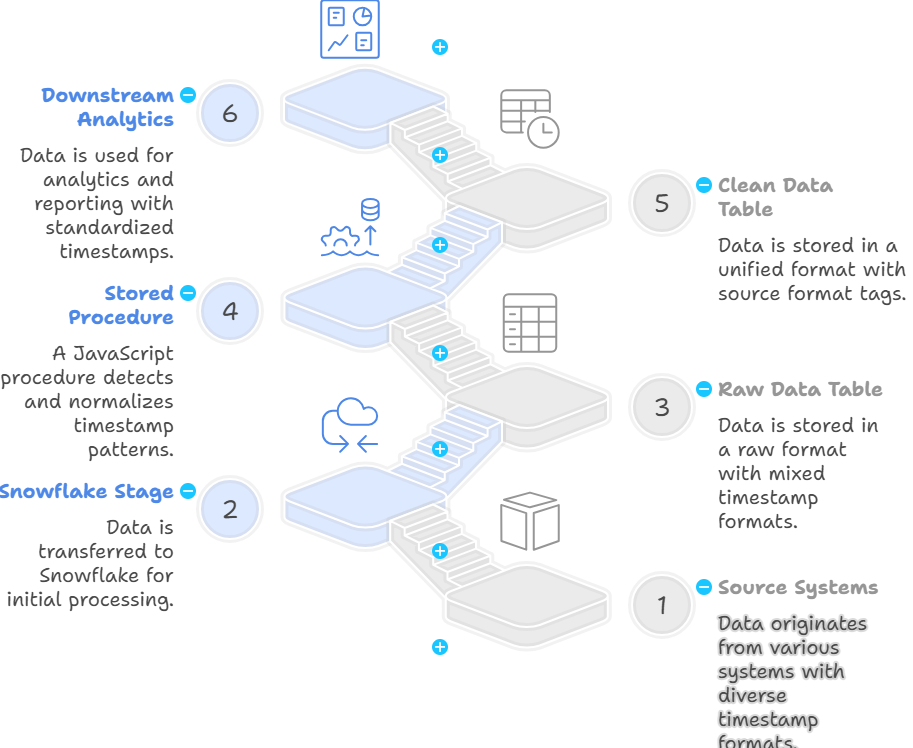
In real enterprise data landscapes, we often receive feeds from multiple source systems — CRM, ERP, HR, legacy Oracle apps, APIs, Excel exports, and more. Each system records timestamps in its own way. When these systems are merged into a single CSV feed, the timestamp column becomes inconsistent. Therefore, a single Snowflake FILE FORMAT can’t handle all these variations.The result? – Load failures, inconsistent parsing, or null timestamps.
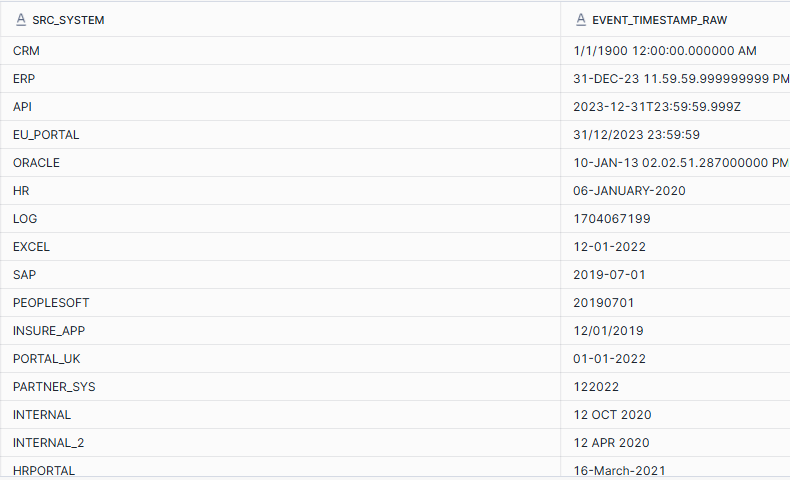
The Idea: Metadata-Driven Timestamps Normalization
Instead of creating multiple file formats or manually cleaning data per system, we can build a universal parsing layer inside Snowflake that:
-
Loads all data as raw strings into a staging table.
-
Uses a metadata catalog that lists all possible timestamp patterns.
-
Runs a stored procedure that automatically:
-
Detects the right format,
-
Parses it into a clean
TIMESTAMP_NTZ, and -
Records which format matched.
-
The Timestamps Metadata Catalog
This small reference table drives the logic:
CREATE TABLE TIMESTAMP_FORMAT_CATALOG (

FORMAT_NAME STRING,

FORMAT_PATTERN STRING,

FORMAT_TYPE STRING

);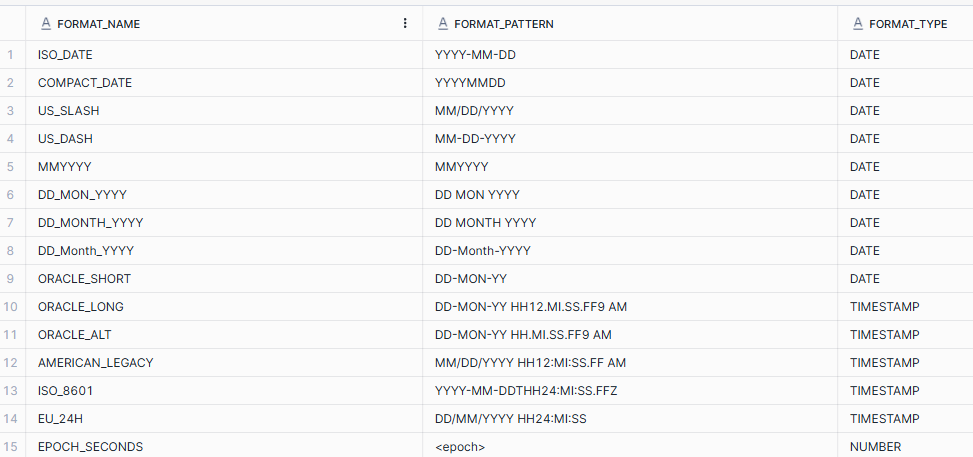
Adding a new format later? Just insert a new row — no code change needed.
— Raw feed (as-is)
CREATE TABLE STG_POLICY_FEED (

SRC_SYSTEM STRING,

CLAIM_ID STRING,

EVENT_TYPE STRING,

EVENT_TIMESTAMP_RAW STRING

);
— Final clean table
CREATE TABLE POLICY_FEED_FINAL (

SRC_SYSTEM STRING,

CLAIM_ID STRING,

EVENT_TYPE STRING,

EVENT_TIMESTAMP TIMESTAMP_NTZ,

SOURCE_FORMAT STRING

);
Create the Stage and Load the CSV file to the STG_POLICY_FEED table.
create stage dates_file;
COPY INTO STG_POLICY_FEED

FROM @dates_file/Dates_File.csv

FILE_FORMAT = (TYPE = CSV SKIP_HEADER = 1 FIELD_OPTIONALLY_ENCLOSED_BY='"');
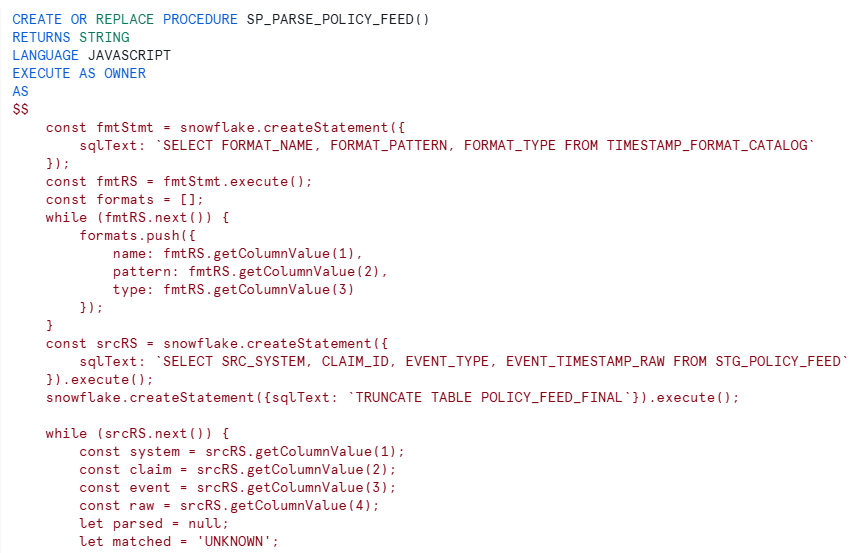
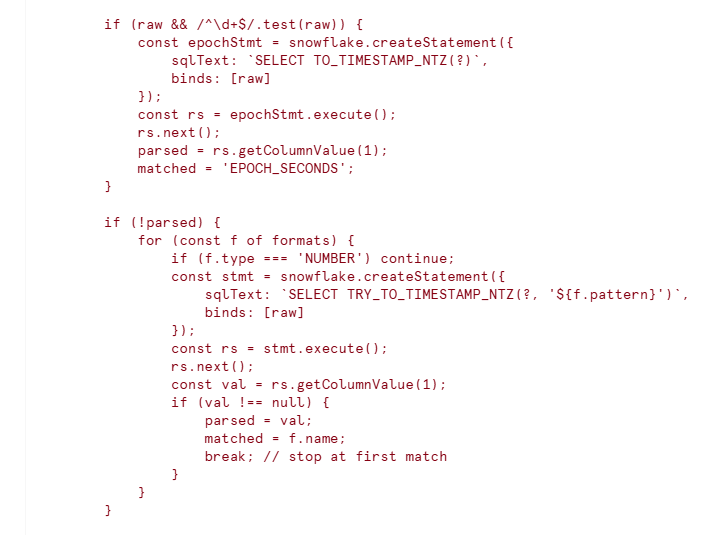
The Simplified Parsing Procedure
Here’s the heart of the framework — clean, readable, and extensible.

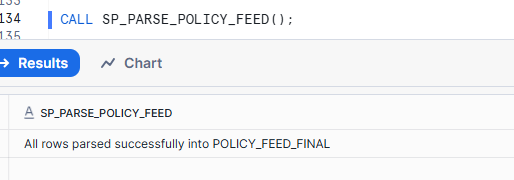
Output
After running:
SELECT * FROM POLICY_FEED_FINAL;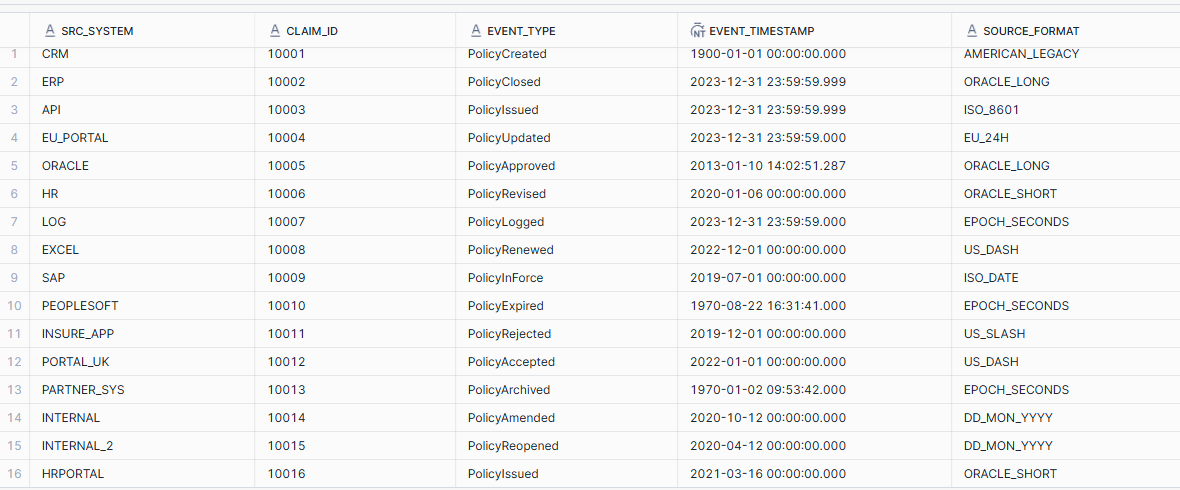
Why This Works So Well
| Feature | Benefit |
|---|---|
| Metadata-driven | New timestamp patterns require no code changes — just update the catalog. |
| Staging first, clean later | Safe against malformed data and changing formats. |
| Error-tolerant | Uses TRY_TO_TIMESTAMP_NTZ() to avoid load failures. |
| Transparent | You know exactly which format each row matched. |
| Reusable | Can be extended to any multi-feed integration pipeline. |