 0
0
 0
0
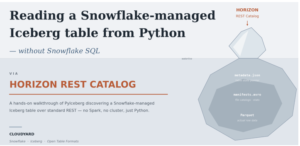
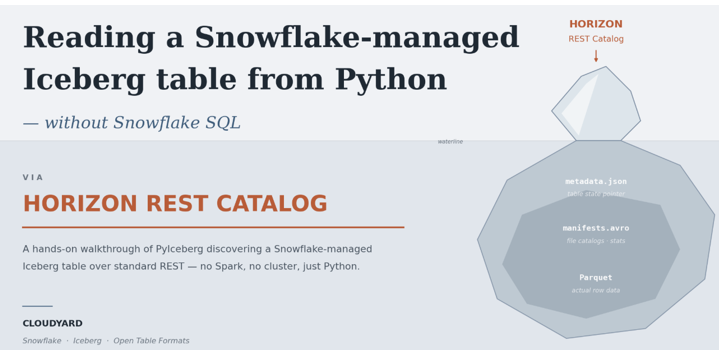
Horizon REST Catalog with PyIceberg : Apache Iceberg is often positioned around one important idea: The table should not be tied to a single compute engine.Snowflake might be the primary data platform, but if the table is really Apache Iceberg, another Iceberg-compatible engine should also be able to understand it.
That led me to a question.
If my Iceberg table is completely managed by Snowflake, including the underlying storage; can an application running outside Snowflake still discover and read that table as an Iceberg table?
In other words:
Keep the Iceberg table managed and governed by Snowflake, but allow an external Iceberg client to discover and read it through the standard Iceberg REST protocol; without routing the read through Snowflake SQL.
That is the entire purpose of this POC.
Why Horizon Iceberg REST Catalog?
Why Horizon Iceberg REST Catalog?
Snowflake has supported different approaches for allowing external engines to work with Iceberg tables.
1.Snowflake Catalog SDK was an earlier approach where engines such as Spark or Trino use a Snowflake-specific catalog library to access Snowflake-managed Iceberg tables. It works, but it is read-only and requires Snowflake-specific integration inside the external engine.
2.Open Catalog. Snowflake’s managed catalog service built on Apache Polaris. Much more open ,standard Iceberg REST; but it’s a separate service you provision and sync tables into..
3.Horizon Iceberg REST Catalog: Apache Polaris capabilities are integrated directly into Snowflake Horizon Catalog, allowing Snowflake-managed Iceberg tables to be accessed through the open Iceberg REST protocol from the Snowflake. There is no Snowflake-specific Catalog SDK to install and no separate catalog service to provision. Snowflake currently supports external engines such as Spark, Flink, Trino, DuckDB, Dremio and PyIceberg through Horizon.
Unlike the older Catalog SDK, Horizon also supports external-engine reads and writes when the required Snowflake privileges are granted.
So for this POC, the requirement was very specific:
The table remains in Snowflake. I don’t want another catalog service or a Snowflake-specific SDK. I simply want an external Iceberg client to access it using the Iceberg REST interface.
Where Does PyIceberg Fit?
This is the most important part of the demo.
PyIceberg is not a Snowflake connector.
PyIceberg is the Python implementation/client for Apache Iceberg. It understands Iceberg concepts such as table metadata, snapshots, manifests, schemas and data files, and it supports REST catalogs. So PyIceberg represents our external Iceberg consumer.
You could replace it with another supported engine later:
- Spark
- Trino
- Flink
- DuckDB
- Dremio
And when PyIceberg reads the table, it isn’t sending:
SELECT * FROM MY_TABLE; to a Snowflake virtual warehouse. Instead, the high-level flow is:
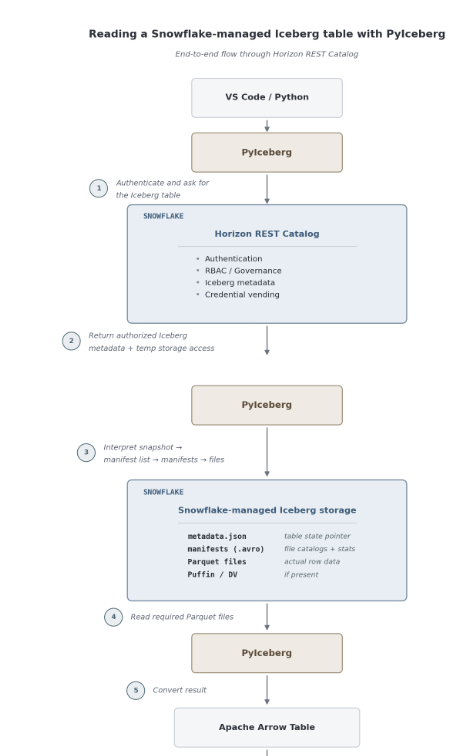
- PyIceberg asks Snowflake Horizon for the table.
- Horizon authorizes the request and returns Iceberg metadata plus storage access.
- Here, PyIceberg interprets the Iceberg snapshot/manifests.
- PyIceberg reads the required Parquet files from Snowflake-managed storage.
- the result is returned as an Apache Arrow table.
No Customer S3 Bucket
The Interesting Part: No Customer S3 Bucket
For this POC I intentionally used Snowflake-managed Iceberg storage. Snowflake now supports:
EXTERNAL_VOLUME = 'SNOWFLAKE_MANAGED'
With this option, Snowflake stores and manages the Iceberg data and metadata files. There is no requirement for me to configure my own S3 bucket, IAM role or external volume object.
1. CREATE OR REPLACE ICEBERG TABLE

ORDER_DB.PUBLIC.SF_MANAGED_ICEBERG_TEST

(

CUSTOMER_ID NUMBER(10,0),

CUSTOMER_NAME STRING,

STATUS STRING

)

CATALOG = 'SNOWFLAKE'

EXTERNAL_VOLUME = 'SNOWFLAKE_MANAGED'

ICEBERG_VERSION = 3;
Snowflake is managing both the Iceberg catalog and its storage.
Now load some sample records:
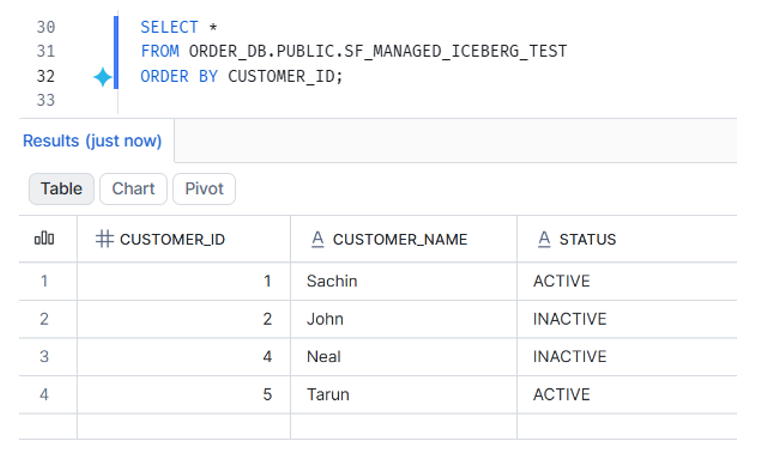
2: Create a Horizon Reader Role
CREATE ROLE IF NOT EXISTS HORIZON_ICEBERG_READER;
GRANT USAGE ON DATABASE ORDER_DB TO ROLE HORIZON_ICEBERG_READER;
GRANT USAGE ON SCHEMA ORDER_DB.PUBLIC TO ROLE HORIZON_ICEBERG_READER;
GRANT SELECT ON TABLE ORDER_DB.PUBLIC.SF_MANAGED_ICEBERG_TEST TO ROLE HORIZON_ICEBERG_READER;
CREATE USER IF NOT EXISTS HORIZON_REST_SRV_ACCOUNT_USER

TYPE = SERVICE

DEFAULT_ROLE = HORIZON_ICEBERG_READER;
GRANT ROLE HORIZON_ICEBERG_READER TO USER HORIZON_REST_SRV_ACCOUNT_USER;
3: Create a Programmatic Access Token
ALTER USER IF EXISTS HORIZON_REST_SRV_ACCOUNT_USER

ADD PAT HORIZON_REST_DEMO_PAT

DAYS_TO_EXPIRY = 7

ROLE_RESTRICTION = 'HORIZON_ICEBERG_READER'

COMMENT = 'Horizon REST Iceberg demo';
4: Set Up VS Code
Create a Python virtual environment:
- python -m venv iceberg_poc
- Activate it: .\iceberg_poc\Scripts\Activate.ps1
- python -m pip install requests “pyiceberg[pyarrow]”
Now set the environment variables:
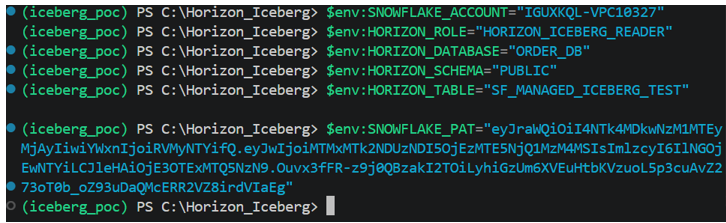
5: Create the python file :horizon_pyiceberg_read.py
import os

import requests

from pyiceberg.catalog import load_catalog

CATALOG_URI = (

f"https://{ACCOUNT}.snowflakecomputing.com/"

f"polaris/api/catalog"

)

token_response = requests.post(

f"{CATALOG_URI}/v1/oauth/tokens",

headers={

"Content-Type":

"application/x-www-form-urlencoded"

},

data={

"grant_type": "client_credentials",

"scope": f"session:role:{ROLE}",

"client_secret": PAT,

},

timeout=30,

)

token_response.raise_for_status()

access_token = token_response.json()["access_token"]

print(

"1. Authentication with Snowflake Horizon: OK"

)

catalog = load_catalog(

"snowflake_horizon",

**{

"type": "rest",

"uri": CATALOG_URI,

"warehouse": DATABASE,

"token": access_token,

"header.X-Iceberg-Access-Delegation":"vended-credentials",

},

)
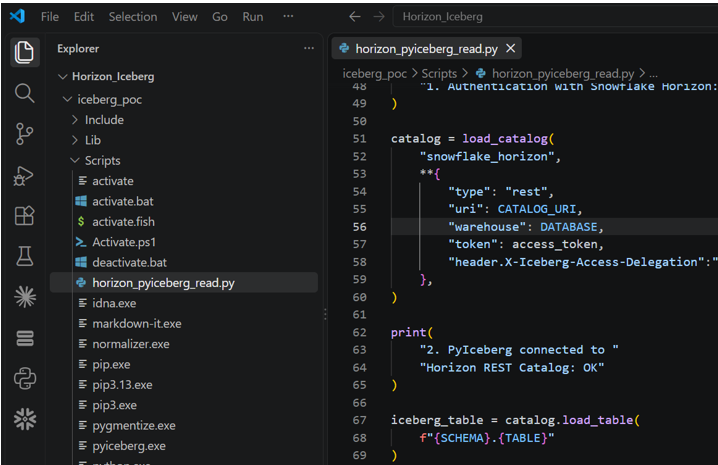
Step 6: Run It
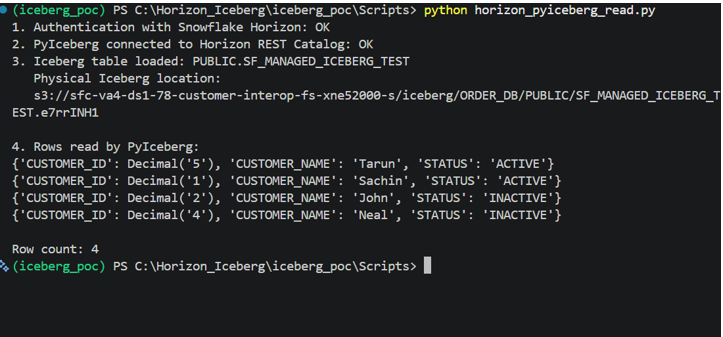
What Just Happened?
We did not use: snowflake.connector. We did not execute:
SELECT * FROM ORDER_DB.PUBLIC.SF_MANAGED_ICEBERG_TEST;
through a Snowflake virtual warehouse.
Instead:
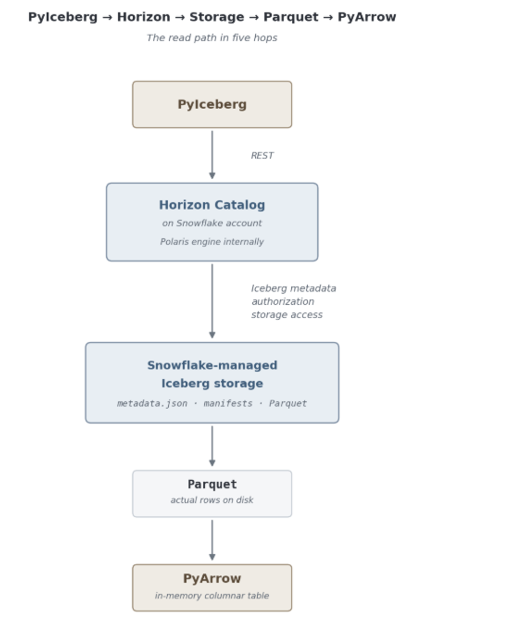
PyIceberg
PyIceberg loaded the Iceberg table through the REST catalog and scanned the actual Iceberg table. That is the interoperability we wanted to prove.
Snowflake documents Horizon as a way for external query engines that implement the open Iceberg REST protocol to access Snowflake-managed Iceberg tables, using Snowflake users, roles, authentication and governance.
What Role Did Horizon Play?
Horizon acts as the secure Iceberg catalog between Snowflake and PyIceberg.
It helps PyIceberg:
- authenticate to Snowflake
- check whether the role can access the table
- discover the current Iceberg metadata
- get temporary access to the underlying storage
PyIceberg then does the actual Iceberg work:
- reads the current snapshot and manifests
- identifies the required Parquet files
- reads the data
- returns the result to Python
So the responsibility is simple:
Horizon
- Security
- Governance
- Iceberg catalog
- Storage access
PyIceberg
- External Iceberg client
- Reads metadata
- Reads Parquet
- Returns the rows
What Did This POC Prove?
The POC proved something more specific than simply saying “Snowflake supports Iceberg.”
We created an Iceberg v3 table whose storage was completely managed by Snowflake:
CATALOG = ‘SNOWFLAKE’
EXTERNAL_VOLUME = ‘SNOWFLAKE_MANAGED’
Then an external open-source Iceberg client running from VS Code discovered and read that table through Horizon.
We did not provide PyIceberg with:
- our own S3 bucket
- AWS access key
- AWS secret key
- Snowflake Python connector
- Snowflake SQL SELECT
Yet the external Iceberg client could return the table rows.
Can External Engines Write Too?
This POC intentionally stops at reading because it makes the architecture easier to understand.
But Horizon is no longer read-only.
As of May 26, 2026, Snowflake made external-engine write support generally available for Snowflake-managed Iceberg v2 and v3 tables through Horizon. External engines supporting the Iceberg REST protocol can read and write using the existing Snowflake identity and governance model.