 2
2
 0
0
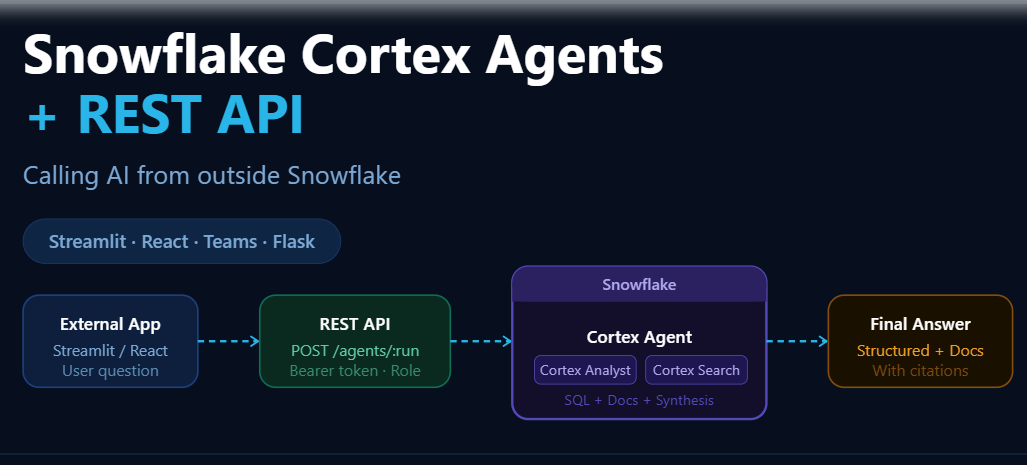
A Cortex Agent is an AI reasoning engine that lives entirely inside your Snowflake account. It is not just a chatbot. It is an autonomous orchestrator that:
- Understands natural language questions
- Classifies intent — structured data query? document lookup? or both?
- Routes to the right tools — Cortex Analyst for SQL, Cortex Search for documents
- Combines results from multiple sources into a single, coherent answer
A Real Business Question — Why This Matters
Consider a claims manager at an insurance company asking:
“How many collision claims were approved last month, and what does our collision coverage policy include?”
This single question requires two completely different data sources:
- Structured data: claim counts from a relational table — needs SQL
- Unstructured data: policy language from a PDF document — needs semantic search
Traditionally, this requires a data analyst for the SQL part, a separate document search for the policy part, and manual stitching of both answers. With a Cortex Agent, one question gets one complete answer — automatically.
Why Intelligence Inside Snowflake Is an Advantage
The fact that the agent runs inside Snowflake is not just a convenience — it is a governance and security feature:
- Data never leaves Snowflake. SQL is generated and executed inside the platform.
- RBAC is fully respected. The agent only sees what your assigned role can see.
- Masking policies apply. PII masking, row access policies — all enforced automatically.
The REST API: The Bridge to the Outside World
The Core Problem Without REST API
If you stop at creating a Cortex Agent inside Snowflake, here is the reality of what you have built:
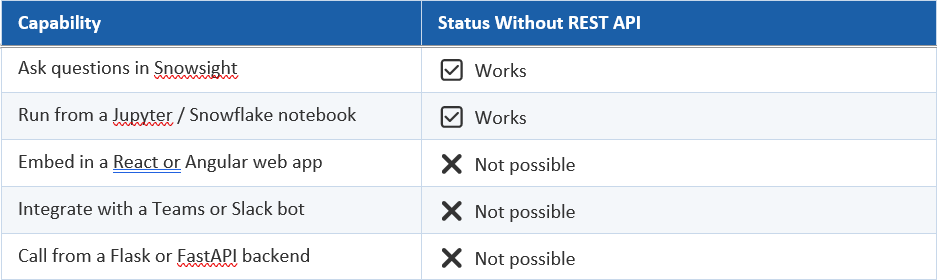
Your agent is brilliant, but it is locked inside Snowflake. The REST API is the key that unlocks it.
The Cortex REST API Endpoint
Snowflake exposes this endpoint to call a Cortex Agent from any external application:
POST https://<account>.snowflakecomputing.com/api/v2/databases/{database}/schemas/{schema}/agents/{agent_name}:run
This is a standard HTTPS endpoint. Any application that can make an HTTP POST request — Python, JavaScript, Java, .NET, mobile apps — can call your Cortex Agent
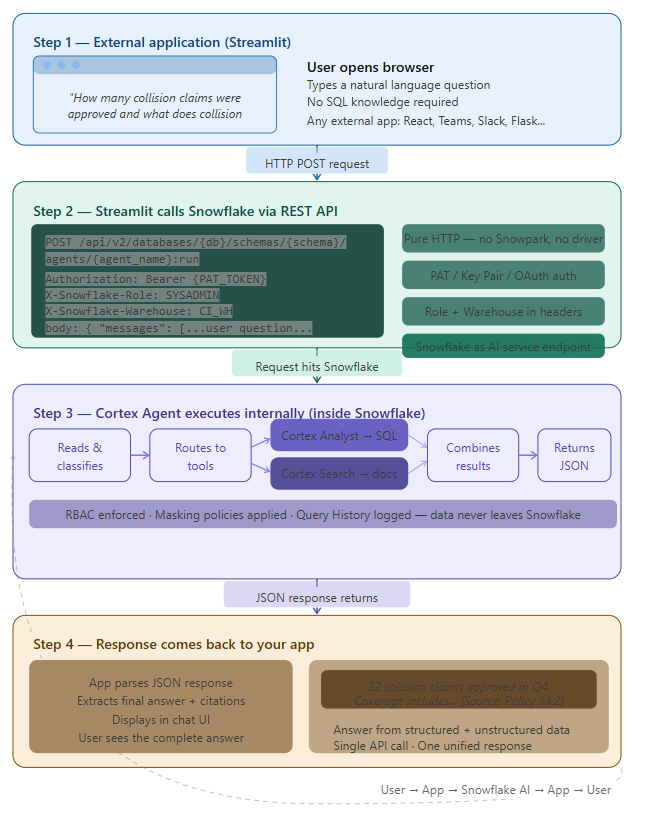
What Actually Built (Step-by-Step Flow)
Let’s break down your implementation in a practical way.
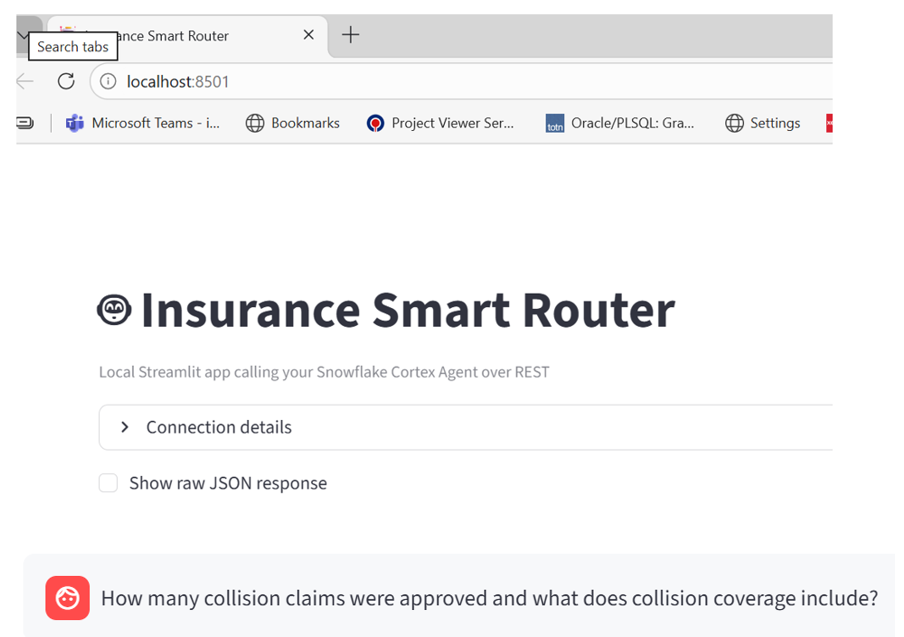
Step 1: External Application (Streamlit)
We created a local Streamlit app.
From a user perspective:
- They open a browser
- Type a natural language question
Example:
“How many collision claims were approved and what does collision coverage include?”
Step 2: Streamlit Calls Snowflake via REST
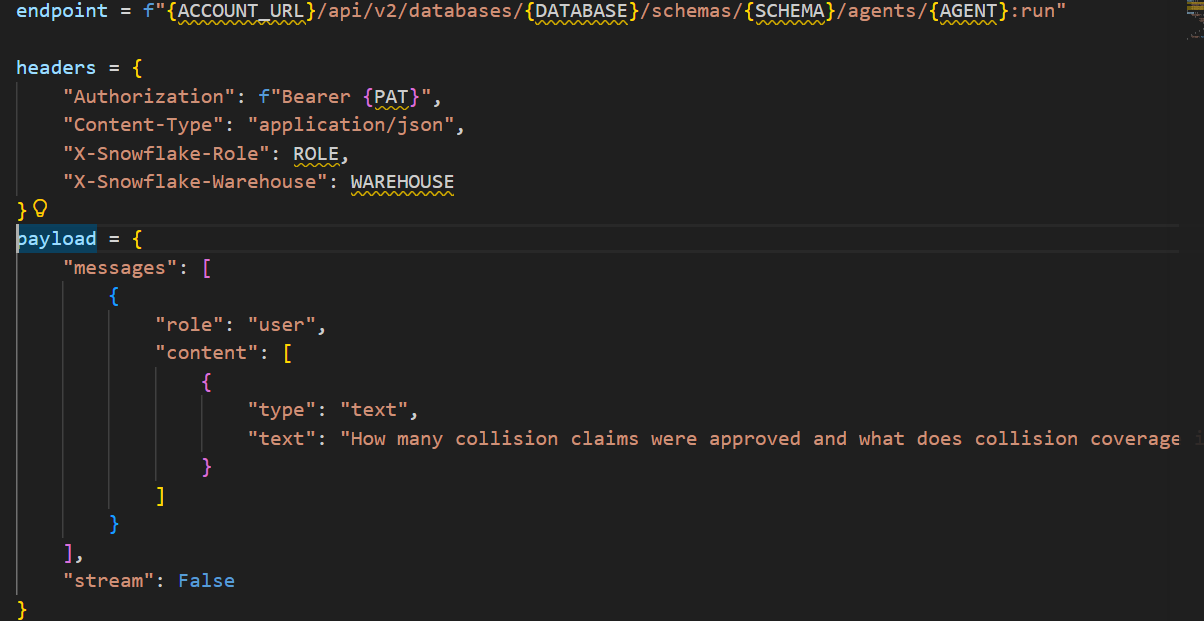
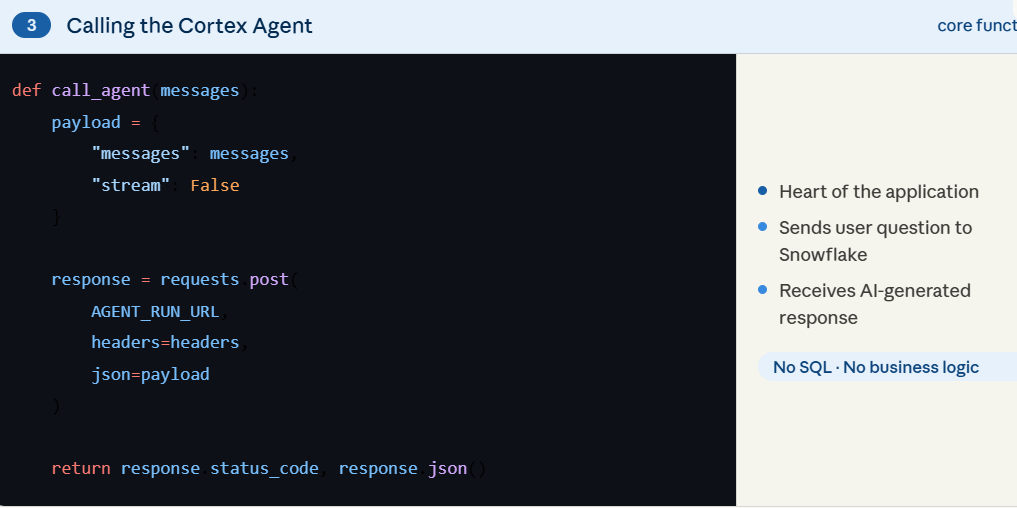
Your app sends this request:
- URL → Snowflake account endpoint
- Authentication → PAT (Programmatic Access Token)
- Headers → Role + Warehouse
- Body → User question
Example:
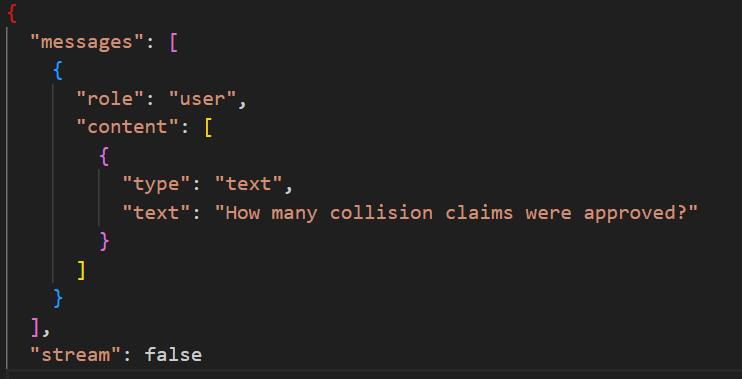
This is a pure HTTP call — no Snowpark, no driver, no session.
You are treating Snowflake as an AI service endpoint, not just a database.
Step 3: Snowflake Agent Executes Internally
Once the request reaches Snowflake:
- Agent reads the question
- Classifies the intent
- Routes to tools:
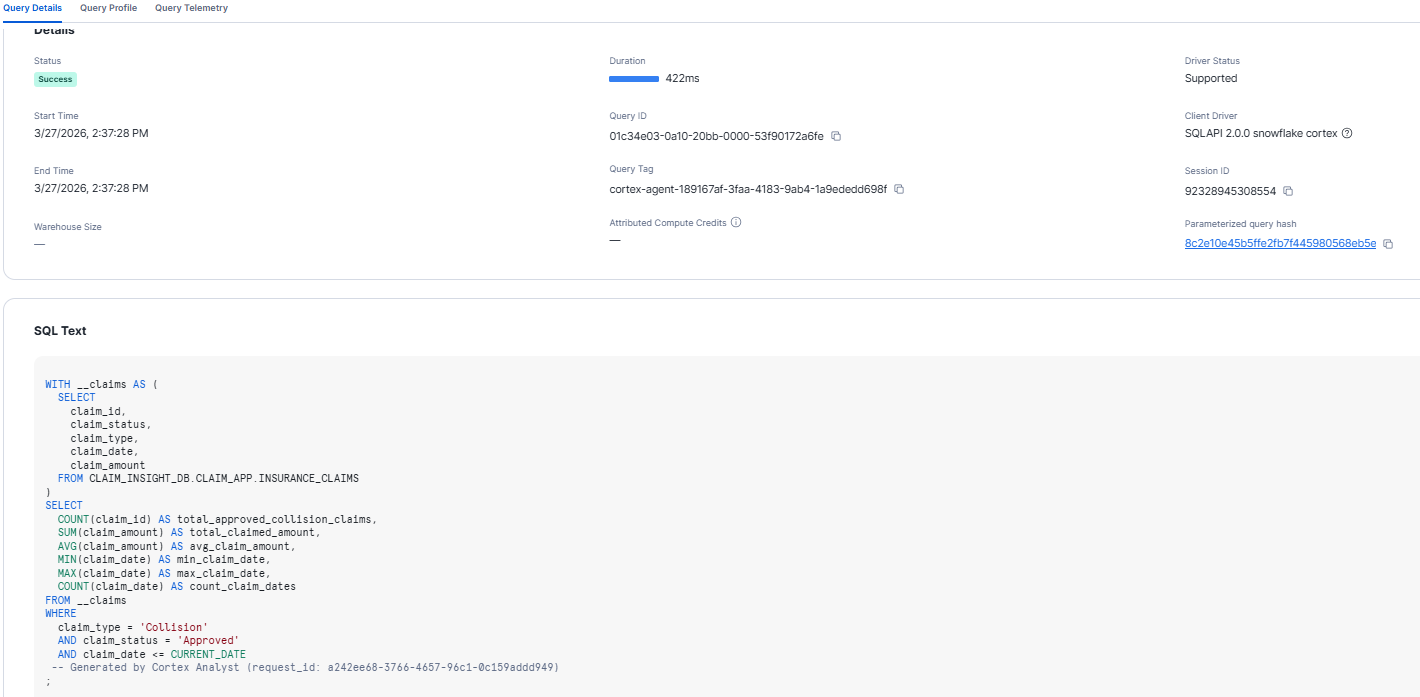
- Cortex Analyst → generates SQL + executes
- Cortex Search → retrieves document context
- Combines results
- Returns a single JSON response
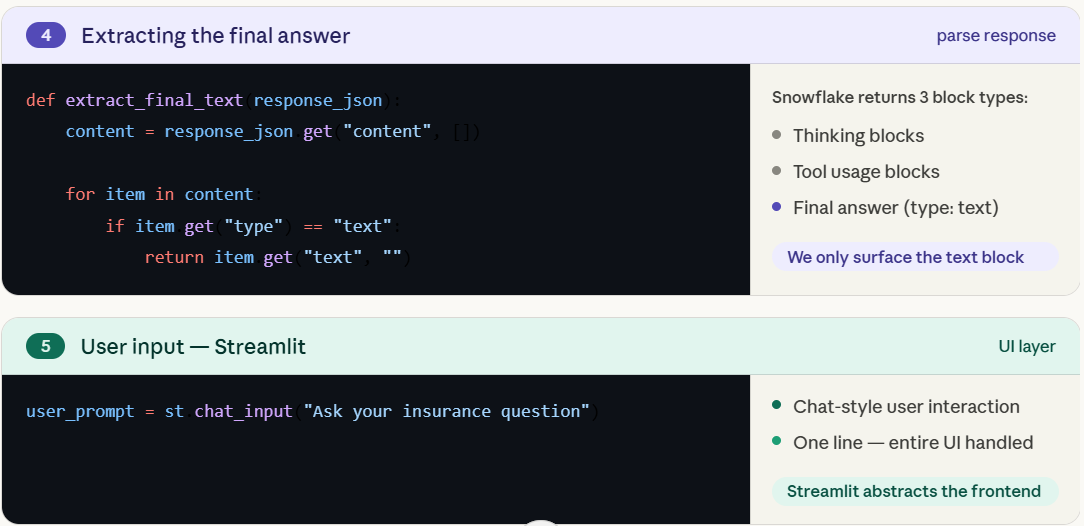
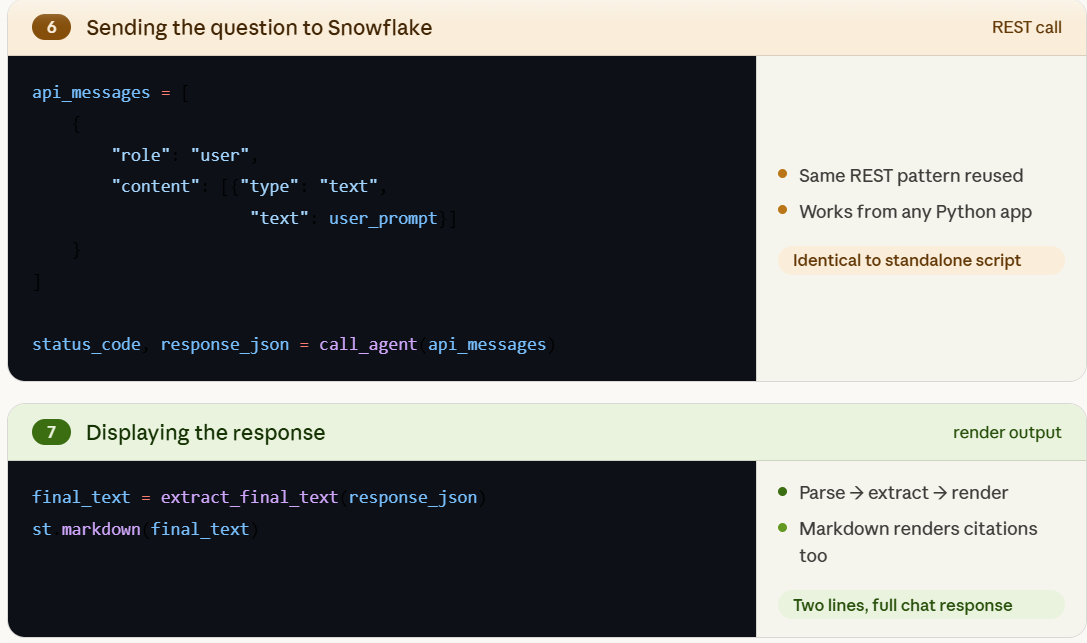
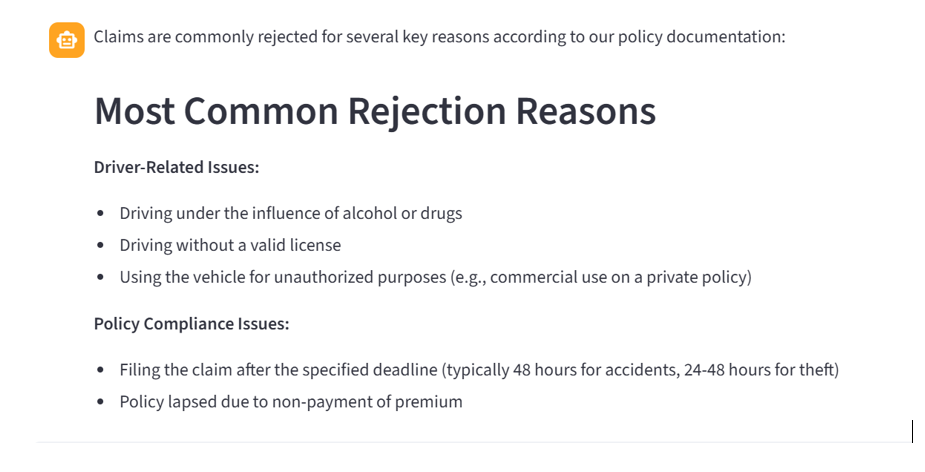
Step 4: Response Comes Back to Your App
Your Streamlit app:
- Parses the response
- Extracts final answer
- Displays it in chat UI
- Optionally shows citations
This completes the full loop:
User → App → Snowflake AI → App → User
Calling the Cortex Agent from an External Python Script
With all the Snowflake groundwork in place — the claims table, policy documents, Cortex Search service, semantic view, and the Cortex Agent itself — the real question becomes: how do you take this intelligence outside of Snowflake?
Creating these objects follows standard Snowflake patterns, so we won’t go deep on each one here. The focus of this section is entirely on what happens next — invoking the agent from an external Python script using the Cortex REST API.
Introducing run_agent.py:
This script acts as a minimal external client that calls the Cortex Agent using Snowflake’s REST API.
What this script does (in simple terms):The script performs only a few key steps:
- Reads configuration (account, token, etc.)
- Builds the Cortex Agent REST endpoint
- Sends a user question
- Prints the response
What happens after this call
Once this request reaches Snowflake:
- Cortex Agent reads the question
- Identifies it as a mixed question
- Calls:
- Cortex Analyst → generates SQL
- Cortex Search → retrieves policy text
- Combines both
- Returns a single response
Python script just receives the final answer.
Building a Simple App using agent_chat_app.py
In the previous step, we proved that our Cortex Agent can be called from outside Snowflake using a simple Python script.
Now the next logical step is:
- Instead of printing the response in the terminal,
- Can we give users a real interface to ask questions?
That’s where Streamlit comes in.
What is agent_chat_app.py?
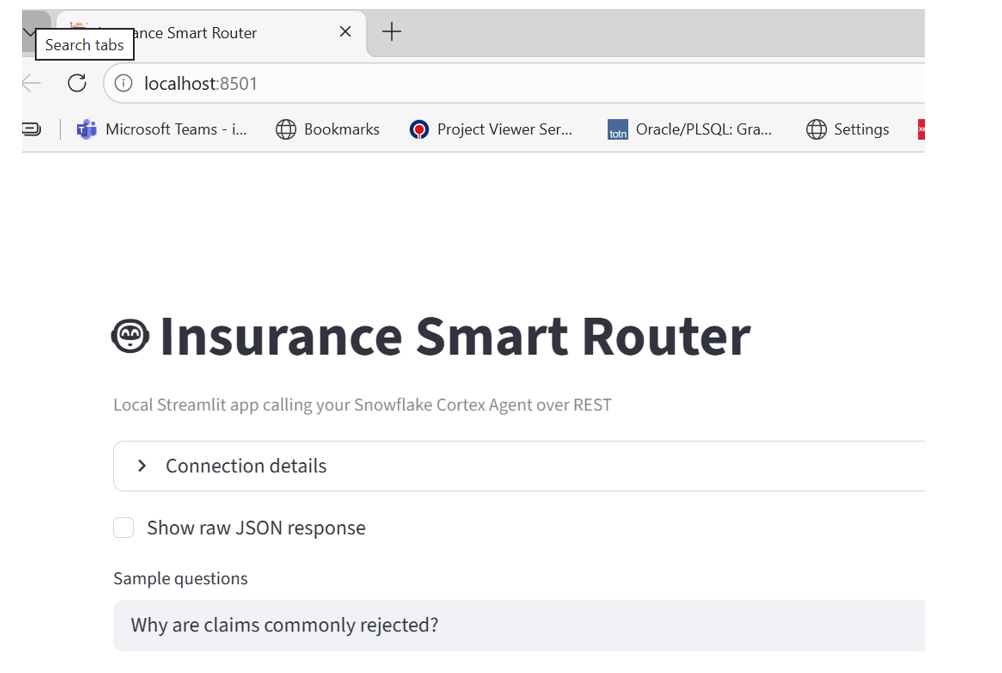
agent_chat_app.py is a simple Streamlit application that:
- takes user input (question)
- sends it to Snowflake via REST API
- receives the response
- displays it in a chat format
In short:
UI + REST call = usable application
Calling the Cortex Agent
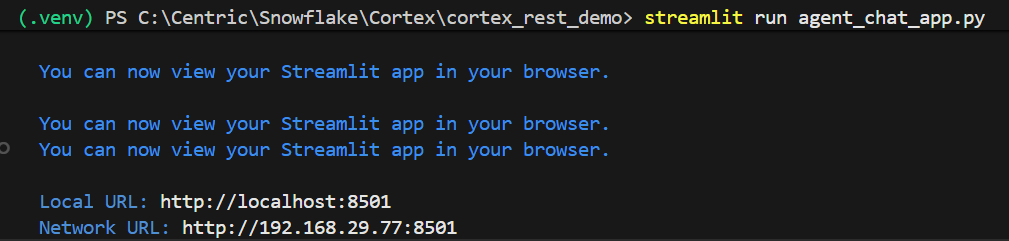
Execute the Streamlit:

Final Section: What We Actually Built
At this point, the full flow looks like this:
- Snowflake stores structured data (claims)
- Snowflake stores unstructured data (policy documents)
- Cortex Search enables document retrieval
- Semantic view helps interpret business meaning
- Cortex Agent handles decision-making and orchestration
And finally:
A Streamlit application sends user questions to Snowflake using REST API and displays the response.