 0
0
 0
0
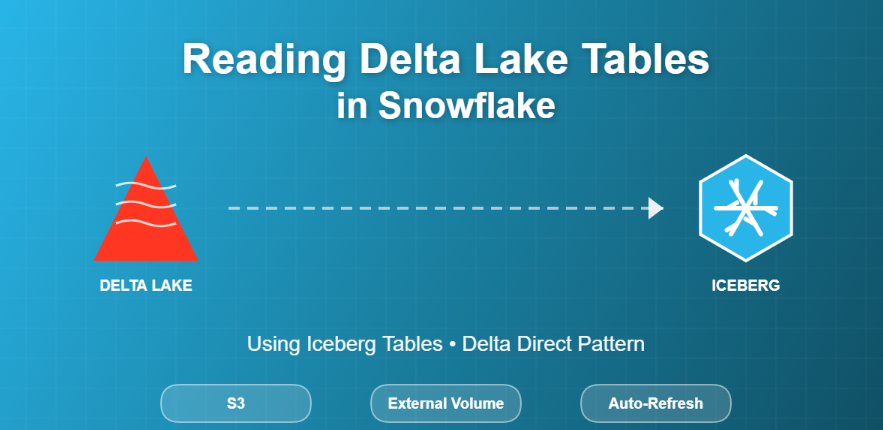
Modern data platforms rarely live in a single ecosystem. One team might be writing data in Delta Lake (often from Databricks or Spark jobs), while analytics, governance, and consumption happens in Snowflake. Historically, “reading Delta from Snowflake” often meant external tables. But Snowflake now supports a better pattern: consume Delta Lake tables as Iceberg tables directly from object storage (often referred to as Delta Direct). This gives you a more table-like experience and (in many cases) better performance characteristics than querying raw external files.
This post walks through a working end-to-end demo:
- Generate/keep Delta Lake files in Amazon S3 (Parquet +
_delta_log) - Create an Iceberg table in Snowflake that reads those Delta files
- Enable auto-refresh so new Delta commits show up without manual steps.
External Tables vs Delta Lake vs Iceberg (quick clarity)
Before we jump into SQL, here’s the simplest mental model:
-
External Tables (Snowflake): pointers to files (Parquet/CSV/JSON…) in object storage; Snowflake reads the files on query time.
-
Delta Lake: a table format built on Parquet data files +
_delta_logtransaction log (JSON + checkpoints). The log tells readers what files are valid for the latest snapshot. -
Apache Iceberg: another open table format that tracks snapshots and metadata using manifests/metadata files. Snowflake has strong support for Iceberg tables.
Why not just use Delta external tables?
Snowflake still supports CREATE EXTERNAL TABLE … TABLE_FORMAT=DELTA, but Snowflake explicitly notes this feature will be deprecated in a future release and recommends using Iceberg tables instead. Link
Architecture of this demo
Writer (Delta format):
-
Some upstream engine writes Delta table files into S3:
-
.../delta_demo/orders/*.parquet -
.../delta_demo/orders/_delta_log/*.json
-
Reader (Snowflake):
-
Snowflake creates an Iceberg table that reads the Delta table from S3 using:
-
an External Volume (points to S3 location + access role)
-
a Catalog Integration configured with
TABLE_FORMAT = DELTA -
Snowflake can then query it like a normal table:
-
Step 1 — Validate Delta files in S3
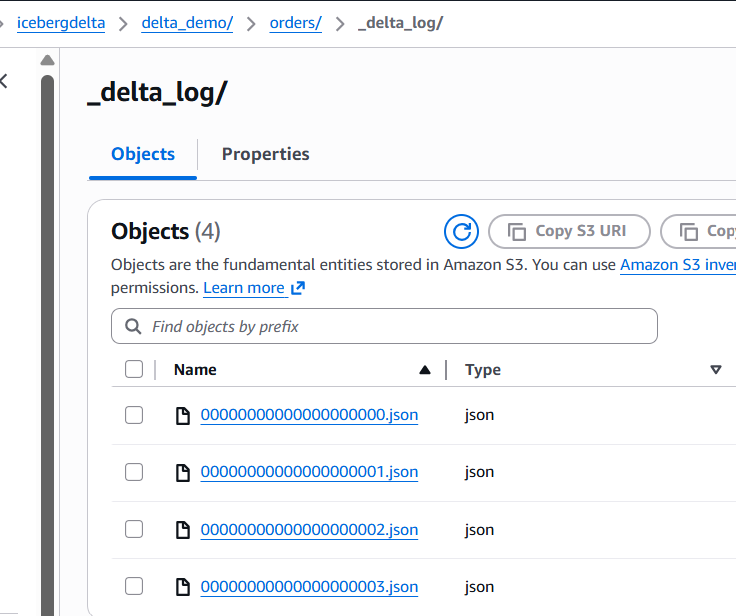
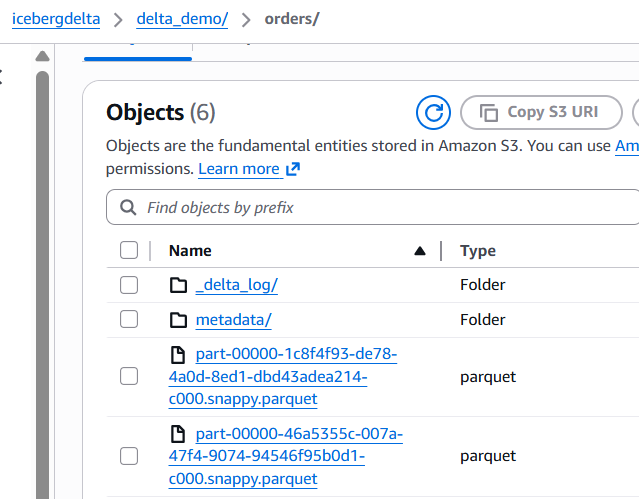
In your S3 bucket (example: icebergdelta), confirm the Delta table folder contains:
-
delta_demo/orders/_delta_log/00000000000000000000.json(and more commits) -
one or more
*.parquetfiles
Step 2 — Create an External Volume in Snowflake
An External Volume is Snowflake’s way to securely reference external object storage locations for Iceberg workflows.
create external volume ev_icebergdelta

storage_locations =

(

(

name = 'icebergdelta_loc'

storage_provider = 'S3'

storage_base_url = 's3://icebergdelta/'

storage_aws_role_arn = 'arn:aws:iam::913267004595:role/icebergconfigrole'

)

);
Step 3 — Create a Delta Catalog Integration
This is the key: we tell Snowflake that the object-store “catalog source” should interpret the table as DELTA.
CREATE OR REPLACE CATALOG INTEGRATION delta_catalog_int

CATALOG_SOURCE = OBJECT_STORE

TABLE_FORMAT = DELTA

ENABLED = TRUE;
Step 4 — Create the Iceberg table pointing to your Delta folder
Now we create the Iceberg table in Snowflake that reads the Delta layout stored in S3:
CREATE OR REPLACE ICEBERG TABLE DELTA_ORDERS

CATALOG = delta_catalog_int

EXTERNAL_VOLUME = ev_icebergdelta

BASE_LOCATION = 'delta_demo/orders';
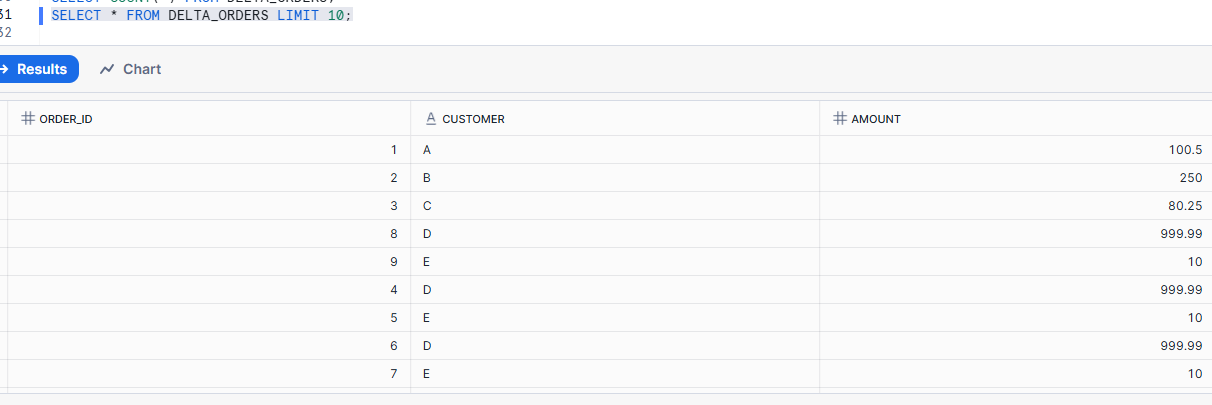
Query it: Snowflake is reading the Delta table as an Iceberg table.
Step 5 — Refresh behavior: why your append didn’t show up immediately
When your upstream process appends data, it creates new Delta commits in _delta_log. Snowflake won’t always pick those up instantly unless you refresh the Iceberg metadata.
You have two choices:
Option A: Manual refresh (good for testing)
ALTER ICEBERG TABLE DELTA_ORDERS REFRESH;
Option B: Auto-refresh (near-real-time consumption)
ALTER ICEBERG TABLE DELTA_ORDERS SET AUTO_REFRESH = TRUE;
ALTER CATALOG INTEGRATION delta_catalog_int SET REFRESH_INTERVAL_SECONDS = 60;
Conclusion
If your organization already produces Delta tables in S3, you don’t need to “replatform” everything to query it in Snowflake. With Snowflake’s Iceberg table support for Delta files (Delta Direct pattern), you can:
-
keep Delta as-is in object storage
-
create an Iceberg table in Snowflake over that Delta location
-
enable auto-refresh and query it like a standard table
This is a clean, modern bridge between open table formats and governed analytics.