 1
1
 0
0
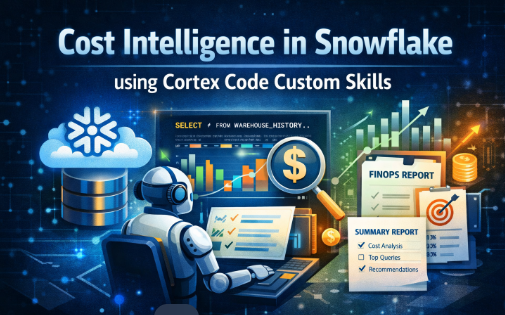
Cost Intelligence in Snowflake using Cortex Code Custom Skills enables automated, consistent analysis of warehouse usage by turning AI into a domain-specific FinOps investigator.
Why we Built This
In most Snowflake environments, one question comes up repeatedly:
💡 The Recurring Question
“Why did warehouse cost suddenly spike?”
The problem is not a lack of data. Snowflake gives us everything we need:
- WAREHOUSE_METERING_HISTORY
- QUERY_HISTORY
- LOGIN_HISTORY
The real challenge is: every investigation is inconsistent, manual, and depends on the person doing it. Sometimes we check warehouse usage first. Or we jump directly into queries. Sometimes we miss the root cause completely.
The Idea
Instead of writing SQL every time a cost spike happens, I asked a different question.
The Core Question
Can I teach Snowflake Cortex to behave like a FinOps analyst?
That is where Cortex Code CLI custom skills come in.
What is a Cortex Skill?
A Cortex skill is a reusable instruction layer that guides how the Cortex Code assistant behaves for a specific task.

The Use Case
custom skill: warehouse-cost-investigator
Its job is straightforward:
- Investigate warehouse credit spikes
- Identify likely cost drivers
- Produce a structured FinOps summary
Setup
1. Install Cortex Code CLI
cortex
2. Create Project Structure
.cortex/
└── skills/
└── warehouse-cost-investigator/
└── SKILL.md
The Skill — Core Logic
Here is the heart of the solution. The SKILL.md file encodes three critical behaviors:
1. Mandatory Input Validation
- Must have warehouse name
- Must have time window
No random analysis. The skill refuses to run without proper inputs.
2. Structured Investigation Flow
Instead of ad-hoc queries, the skill enforces a step-by-step process:
- Warehouse-level credit analysis (metering trends)
- Query-level drill-down (execution patterns, scan volume)
- Attribution analysis (users, roles, applications)
- Root cause reasoning and recommendations
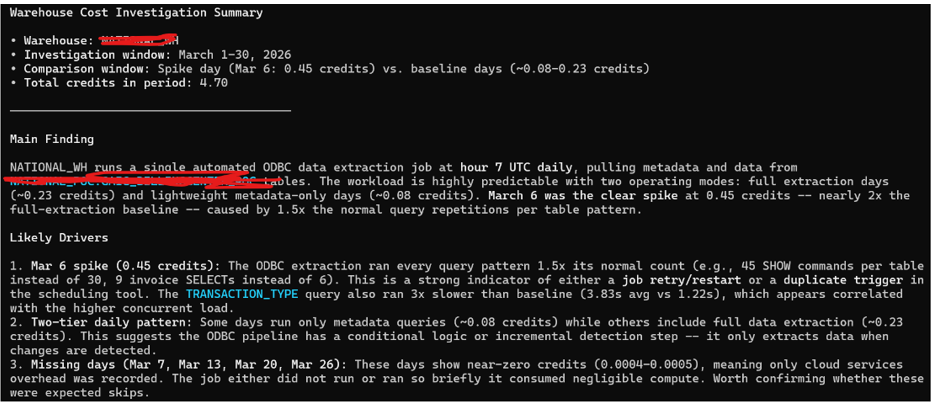
3. Strict Output Format
Every investigation ends with a structured summary:
### Warehouse Cost Investigation Summary
– Warehouse:
– Investigation window:
– Comparison window:
– Main finding:
-Likely Drivers:
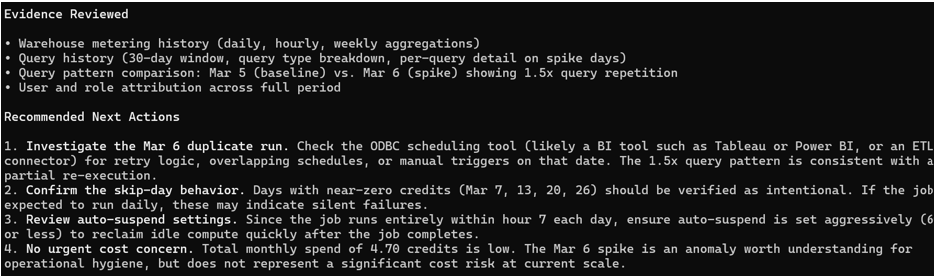
– Evidence reviewed:
– Recommended next actions:
This format is critical for FinOps reviews, incident reports, and leadership communication.
Testing the Skill
Example Prompt
$warehouse-cost-investigator Investigate warehouse COMPUTE_WH for 2026-03-01 to 2026-03-30
What Happens Next
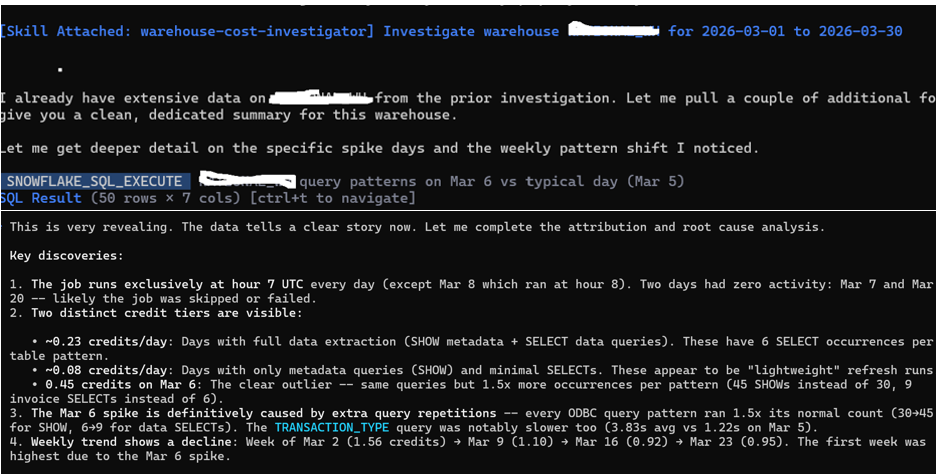
Cortex automatically:
- Generates SQL queries against WAREHOUSE_METERING_HISTORY and QUERY_HISTORY
- Analyzes warehouse credit consumption patterns
- Correlates query behavior with cost spikes
- Identifies concurrency, scan volume, and scheduling patterns
All aligned to the skill instructions — no manual SQL required.
Example Output
| 📊 Warehouse Cost Investigation Summary
Warehouse: COMPUTE_WH Investigation window: 2026-03-01 to 2026-03-30 Comparison window: Previous 30 days Main finding: A noticeable increase in credit consumption during mid-March. Likely drivers: -Increased query concurrency – Long-running ETL queries • Higher data scan volume Evidence reviewed: – Warehouse metering trends – Query execution patterns • Compute vs cloud services usage Recommended next actions: – Review ETL scheduling overlap -A nalyze top queries by execution time • Consider warehouse scaling strategy |
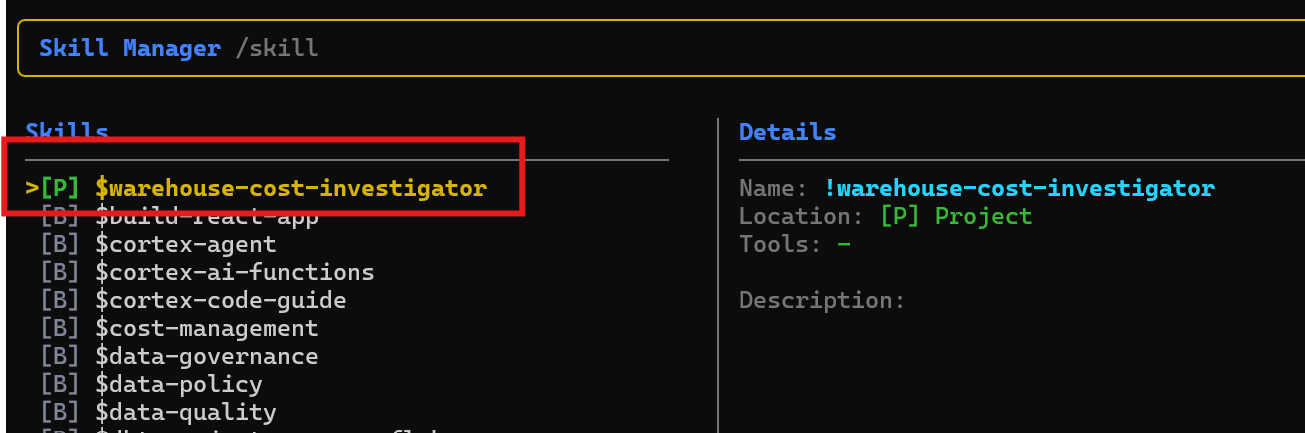
Skill Execution output:
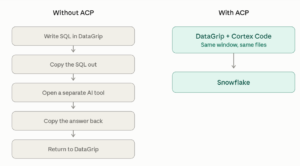
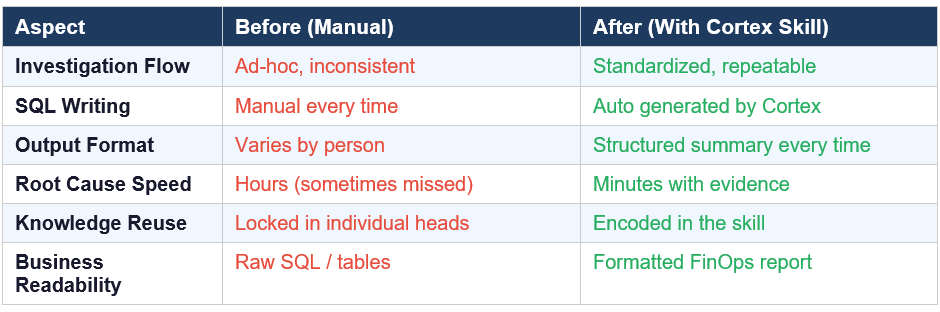
What Changed: Before vs After
Why This Matters
This approach is powerful for:
- FinOps teams — consistent cost investigations
- Data platform engineers — faster root cause identification
- Snowflake architects — encoded best practices
Because it:
- Reduces investigation time from hours to minutes
- Improves consistency across the team
- Enables knowledge reuse (skill = living documentation)
- Bridges technical analysis and business understanding